

Somnium Space has released version 3.1.8 of their social VR platform, and they have packed it with substantial new features that expand how people can explore, create, and interact together. Vehicles have received a major overhaul, finger tracking is now natively supported, graphics options have been expanded, and both the launcher and SDK have received meaningful upgrades.
For a full walkthrough, check out Somnium’s release video:

Vehicles Become Social and Destructible
The really cool and fun addition is the expanded vehicle system. Vehicle owners still drive, but other players can now hop into passenger seats and ride along. People can also simply climb on top of vehicles for an open-air ride. First-person seat cameras have been added so VR passengers get a proper view from inside the vehicle, along with a new Ride button and updated vehicle icons.

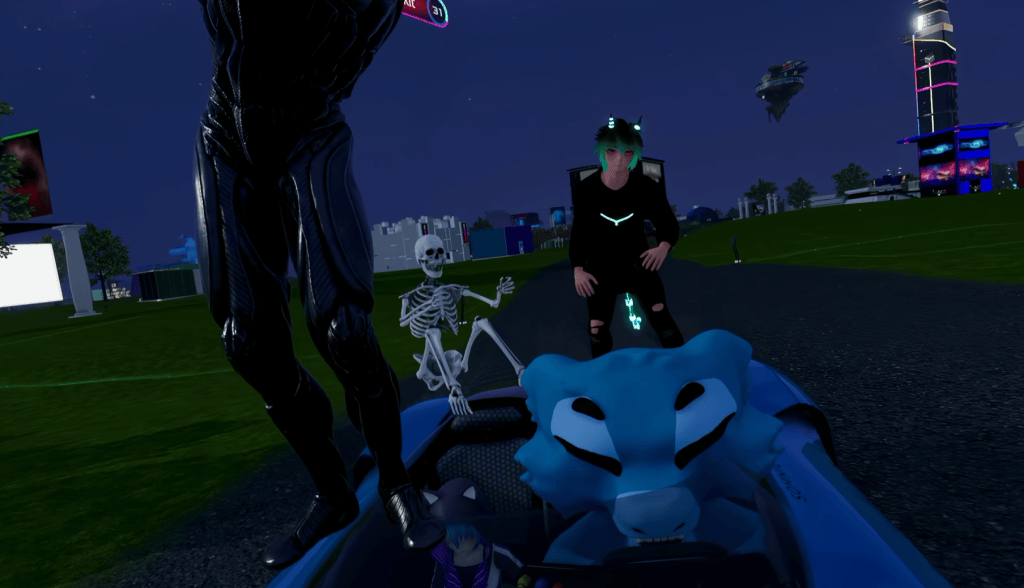
What’s new as well is a full damage system. Vehicles now have health, can show dents and smoke, and can lose parts that fall off after impacts. Crash and impact sounds accompany the damage, and the physics feel more responsive overall. On top of the new features, vehicle movement appears smoother for other players, and the MetaRover’s suspension has been stiffened so it no longer bottoms out under hard acceleration. The combination makes group rides and chaotic multiplayer moments significantly more engaging and outright hilarious.
Sticky Wearables and Native Finger Tracking
And here’s another one. Wearables have gained a new “sticky” option. In the edit panel, creators can toggle a wearable as sticky, after which players can grab it directly from their outfit. When released, it returns to its original position. This opens up more flexible outfit designs and interactive items that stay attached until deliberately grabbed.

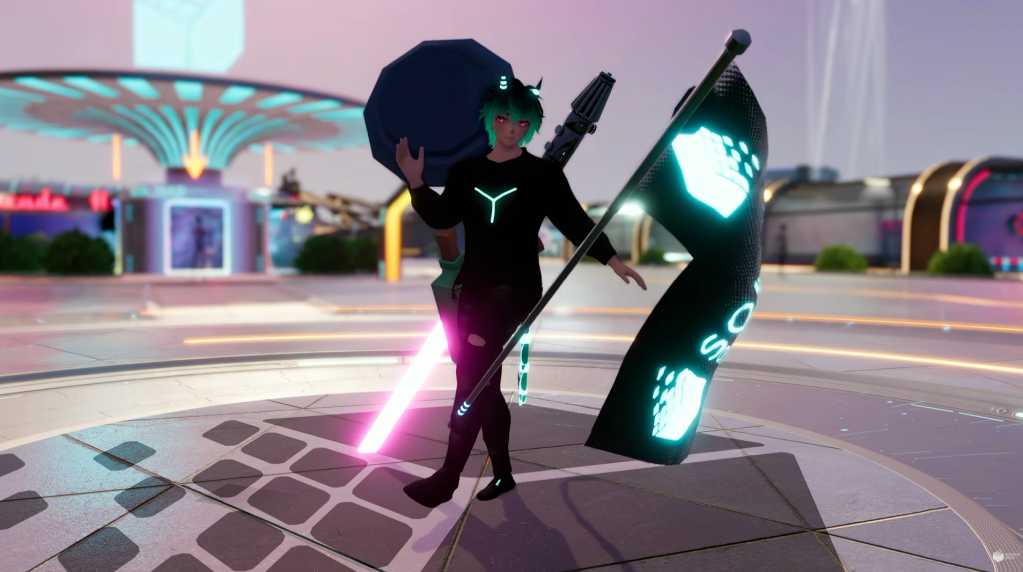
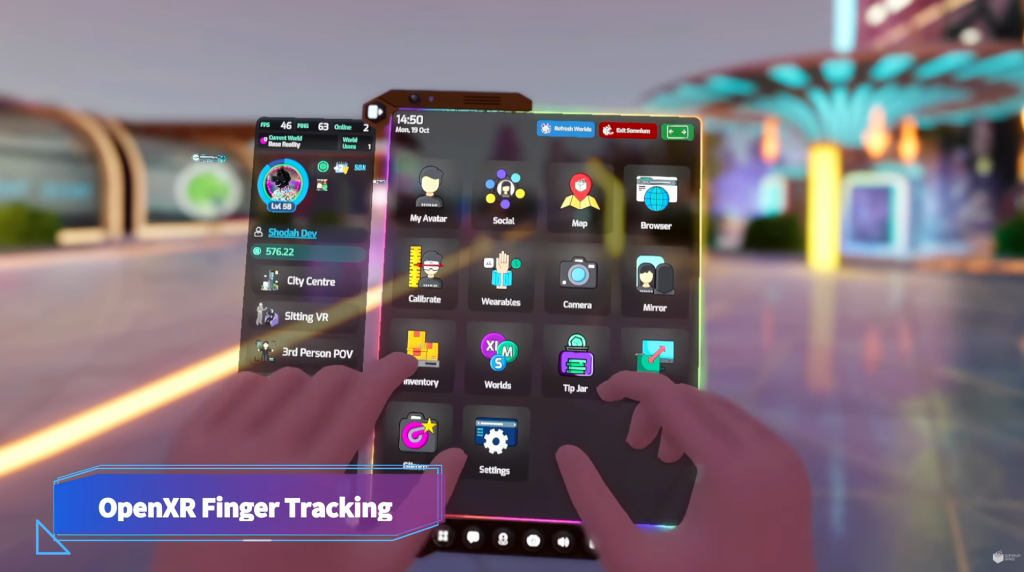
Somnium Space has also added native OpenXR finger tracking. With it enabled in Virtual Desktop, Steam Link, or Meta Link, players can put their controllers down and use full skeletal finger tracking. Interactions include tapping, hand joysticks for movement, and palm menus. Looking at the left palm and tapping brings up the tablet, while the right palm handles the quick menu. The tablet itself can now be tapped and scrolled directly with fingers, making navigation feel super natural.
Events, Graphics, and Everyday Improvements
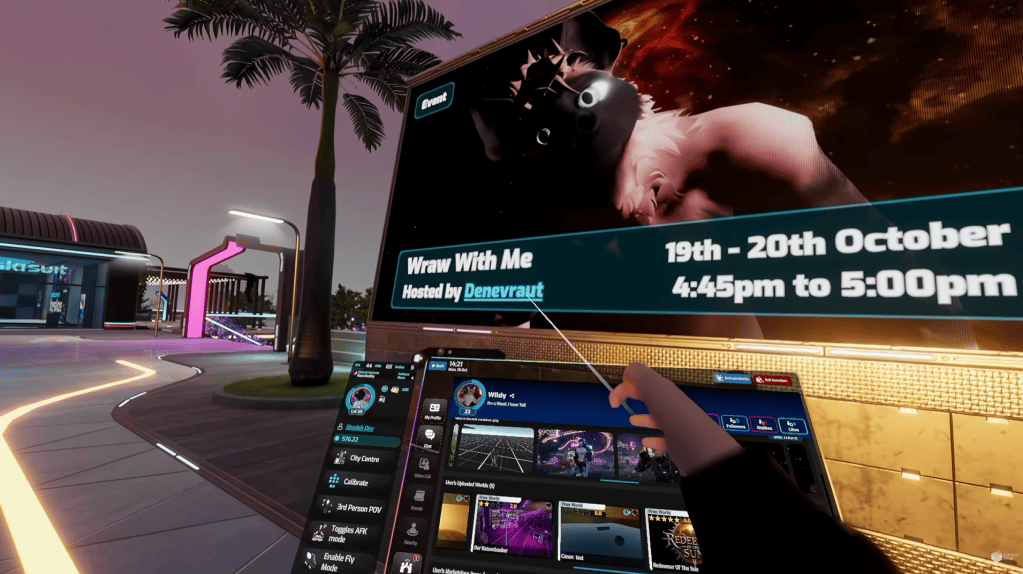
Event banners now appear on loading screens and on City Center displays. These show upcoming events (up to seven days out) with host and location details. For live events, selecting the banner opens the relevant world on the tablet, making it quicker to join activities in progress.

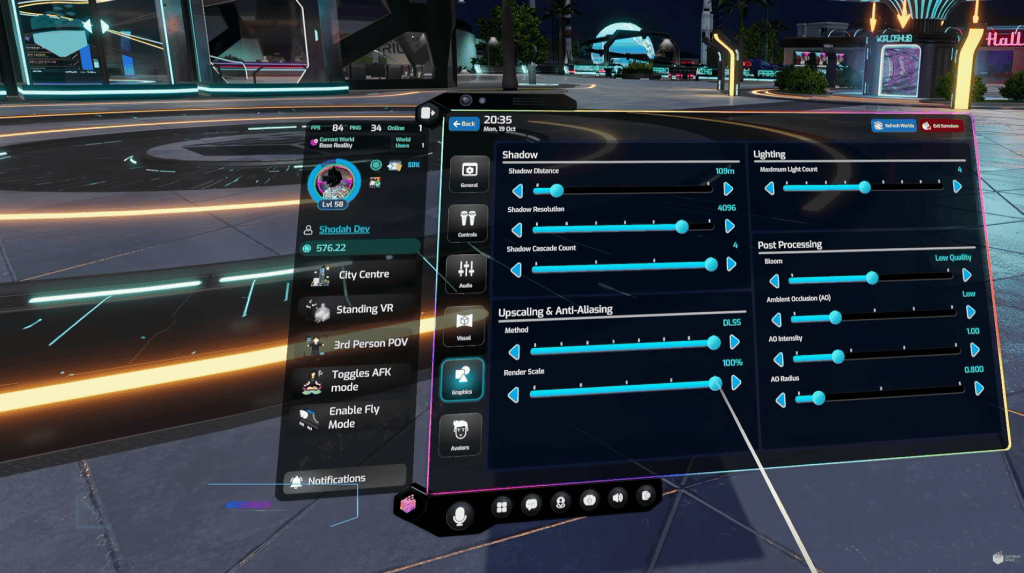
On the graphics side, Somnium Space has given players more practical ways to balance how good the world looks against how smoothly it runs, which is especially welcome in VR. A new upscaler and related options let people dial visual quality up or down depending on their hardware, so a system that was struggling can stay responsive without everything turning into a blur. The result is that you can keep moving around, exploring, and interacting without the usual VR trade-offs feeling quite as punishing.
They have also made sure important interface elements stay clear no matter which graphics settings you choose. World UI, the video call window, and the tablet mirror remain sharp even when other parts of the scene are being scaled or smoothed for performance. That means menus, text, and video calls stay easy to read and use instead of getting soft or pixelated when you turn settings down to keep frame rates healthy. Overall, the changes make it easier for more people to get a comfortable, usable experience rather than having to choose between looking good and running well.

Smaller quality-of-life updates include the ability to see the card fee before entering a PIN when tipping, a new $5 minimum for USD tips, synchronized time of day across all players in a world (including late joiners), and various refinements to 2D controls so elements no longer overlap and the interact key is ignored while typing. Security improvements and an upgrade of Photon Fusion to version 2.1.3 (with matching Photon Voice updates) round out the networking and stability work.
Launcher and SDK Receive Attention
The launcher now supports Steam login. Downloads can resume after interruptions, automatically retry after brief connection drops, and restart if a client download becomes corrupted. Profile pictures load faster, startup is quicker, progress bars are smoother, and the Worlds page performs better while keeping existing list content in place when loading more worlds.
For creators, the SDK now generates an optimized 3D preview model of avatars during the Build & Upload process. A new Upload History window (under Somnium SDK / Upload History) lets creators review past uploads and their validation status. All content uploads go directly to the CDN, and scripts no longer recompile mid-upload, reducing the chance of interruptions.
Somnium Space keeps expanding what people can do together in the platform, with this update leaning into more social interactions, better creation tools, and smoother performance. From where we stand, version 3.1.8 feels like a solid and worthwhile step in their ongoing work to build out the best, free, 18+ social VR space on the planet.
About Somnium Space
Somnium Space, the company behind the VR1, also runs a blockchain-based virtual reality platform that allows users to create, experience, and monetize content and applications. The platform is committed to building a decentralized and immersive VR world that offers users a unique and engaging experience.
Discord: https://discord.gg/somniumspace
Authencity: https://authencity.io/user/somniumspace
Follow the Somnium Times
Authencity: https://authencity.io/user/SomniumTimes
YouTube: https://www.youtube.com/@SomniumTimes
Instagram: https://www.instagram.com/somniumtimes/