


Somnium Space has released version 3.1.7. The update focuses on rendering quality, performance in busy spaces, social presence, full body tracking, and a more capable desktop client. It is available now through the Somnium Launcher (download at somniumspace.com).
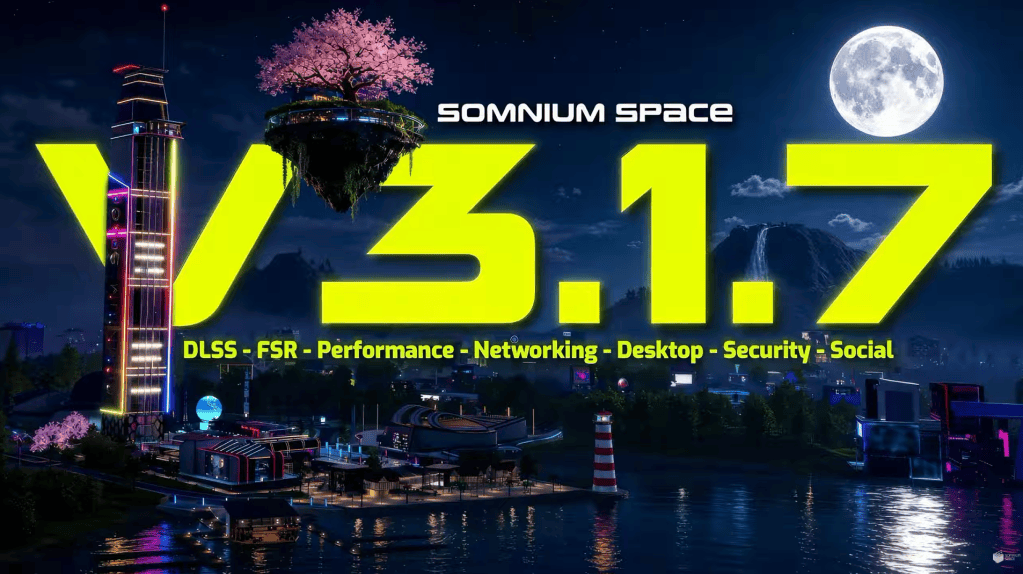
Rendering: FSR, STP, DLSS 4.5 and DLSS 5
Somnium Space has added a new set of upscalers and rendering paths: FSR, Unity STP, DLSS 4.5, and DLSS 5 neural rendering. For DLSS 5, the implementation is tuned for Somnium rather than left on default settings. The stated aim is to increase detail and lighting depth while keeping each world’s original design intact. Architecture, materials, lighting, and atmosphere.
In practice, fine detail remains clearer at distance and lighting reads with more depth. Presets are available so users can match quality to their hardware.

That is the thesis of 3.1.7. We tested DLSS 4.5 and DLSS 5 in-world. After a few minutes the change is easy to measure against the same scene with upscaling turned off: surfaces hold more detail, lighting has more range, and the overall image is smoother. The difference is substantial on supported hardware. Everything is more natural, deeper. DLSS 5 is like warm blanket. Your body adapts. Step out of it and you feel the air change.
DLSS 5 is like a warm blanket. Your body adapts. Step out of it and you feel the air change.
Visual quality depends on performance when spaces fill up. Somnium Space also optimized systems that run in the background, including name tags, face tracking, lip sync, voice and avatar culling, Magica Cloth, Dynamic Bones, and VRIK. The combined effect is a more stable frame rate in crowded events.
Worlds Hub and Base Reality instances
The Worlds Hub has been redesigned and grouped into four categories: Games, Events, Chill, and Arts. Finding a destination is more direct. The space itself has also been given more character. It now has a theme-park layout: rides and landmarks in view, destinations arranged so you can see what you are walking toward. The T-Rex from Dino Park stands in the hub as one of those landmarks. It’s a clear pointer to that world, and a reason to stop and look around before you go anywhere.
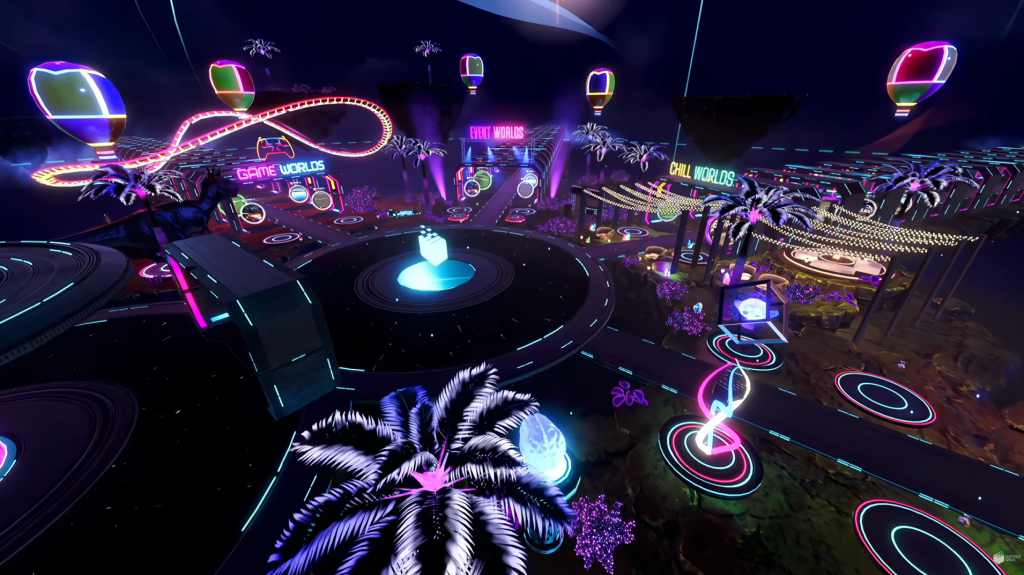
The result is that the hub works as more than a menu. It is a place to meet friends, take a moment, and decide the next stop together. From there, explorations start on foot: a game, an event, a quieter world, or something in Arts.
The update also adds Base Reality instances and improves instance switching. Elevators and the funiculars to the floating islands are now network-synchronized, so shared rides stay in step for everyone in the instance.
Social VFX, gestures and automatic eye movement
Version 3.1.7 adds visual effects for likes, dislikes, and level-ups. Those actions now play in the world, so a like or a level-up is something the people around you can see, not only an entry in a menu. The effects are short and readable: enough feedback to mark the moment without taking over the scene.
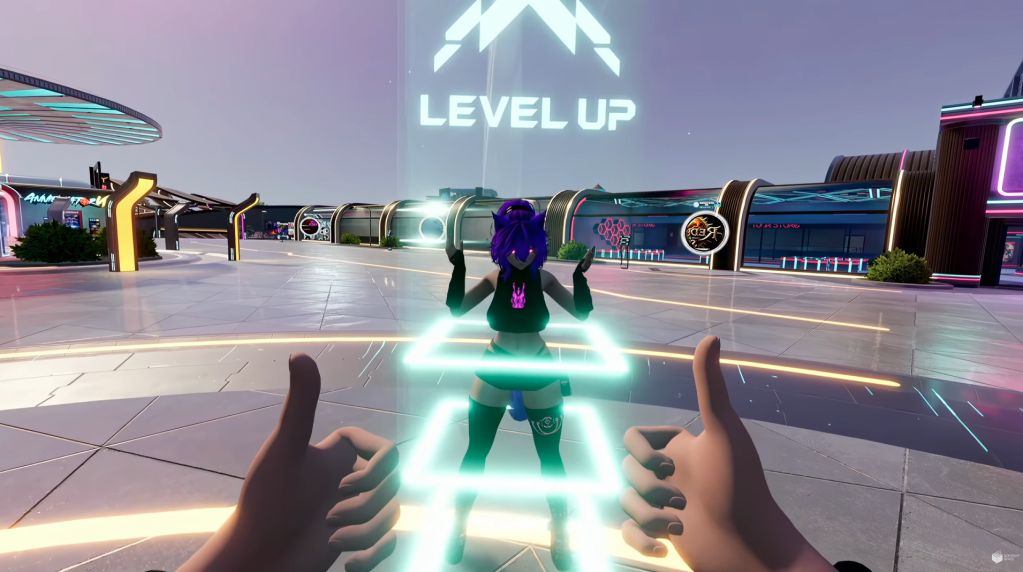
Gestures are improved, with cleaner motion and timing. Chats, friends lists, and related social systems received additional fixes aimed at everyday use, starting conversations, staying in touch, and moving between social tools with fewer interruptions.
Automatic eye movement gives avatars a more natural gaze. Eyes glance, settle on a face, and shift the way they do in a real conversation. Combined with face tracking and lip sync in this build, speech and expression line up more closely with the person behind the avatar. In a group, it is easier to tell who is listening and who is about to speak.
Full body tracking
Full body tracking is more intuitive and persistent in this release. Trackers can be moved with grip and rotated with trigger. Positions can be saved. If you leave Somnium and return with the same setup, calibration is retained.
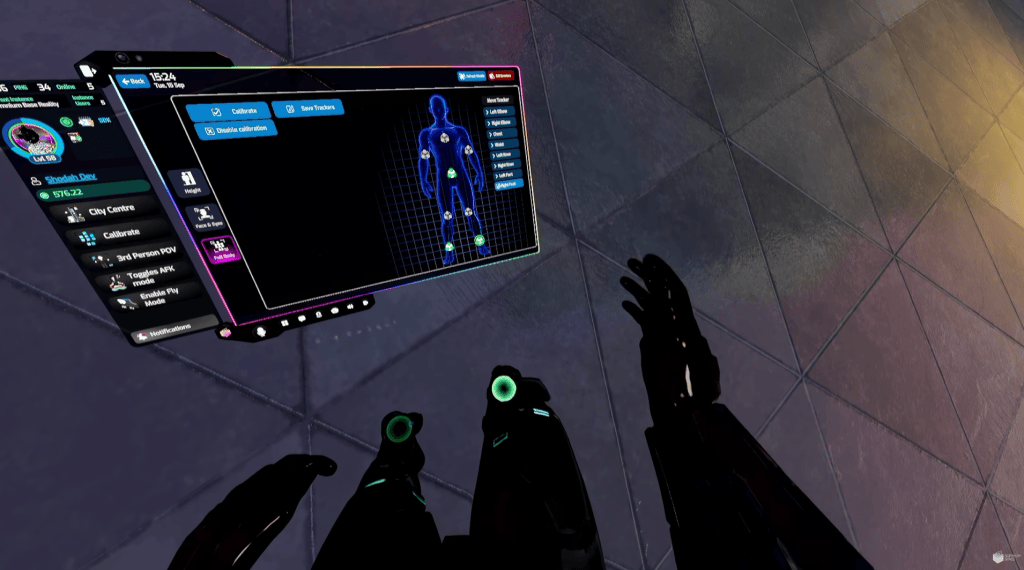
Together with the gesture, face-tracking, lip-sync, and animation updates, avatar movement is more consistent with the user’s real motion.
Desktop wearables and cars
Not every session requires a headset. Version 3.1.7 treats the desktop client as a full way to be in Somnium, not only a fallback when VR is not an option.
Wearables are now available on desktop. You can browse your collection, equip pieces, and change a look without putting on a headset. The wearables UI has been adjusted for this: lists and slots are easier to scan, and managing what you own takes fewer steps. For anyone who spends part of their time at a desk, checking a new item, preparing an avatar before an event, or simply logging in briefly, that workflow now lives in the same client.

Cars are on desktop as well. Approach a vehicle and press F to enter, or X on a gamepad. Driving is available whenever you are at the PC, which makes longer distances and parcel-to-parcel travel practical without VR.
Taken together, these are not convenience extras bolted onto a VR platform. On the contrary, they demonstrate that Somnium Space is treating desktop mode as a first-class way to inhabit the platform.
Exit screen, website and launcher
When a session ends, the client no longer closes on a blank cut. The exit screen now shows session statistics before shutdown: current session time, karma gained, likes gained, and related totals. The same view also breaks those figures out for today, the current week, and the current month.
That recap is more than a courtesy. It adds a clear progression layer to everyday use. Time in-world is no longer only something you remember; it is something you can see converting into karma, likes, and the other markers that make up a social identity on the platform. A short visit and a long evening both leave a record. Over a week or a month, those records show how presence accumulates. Who you are becoming in Somnium by being there, not only by logging in.
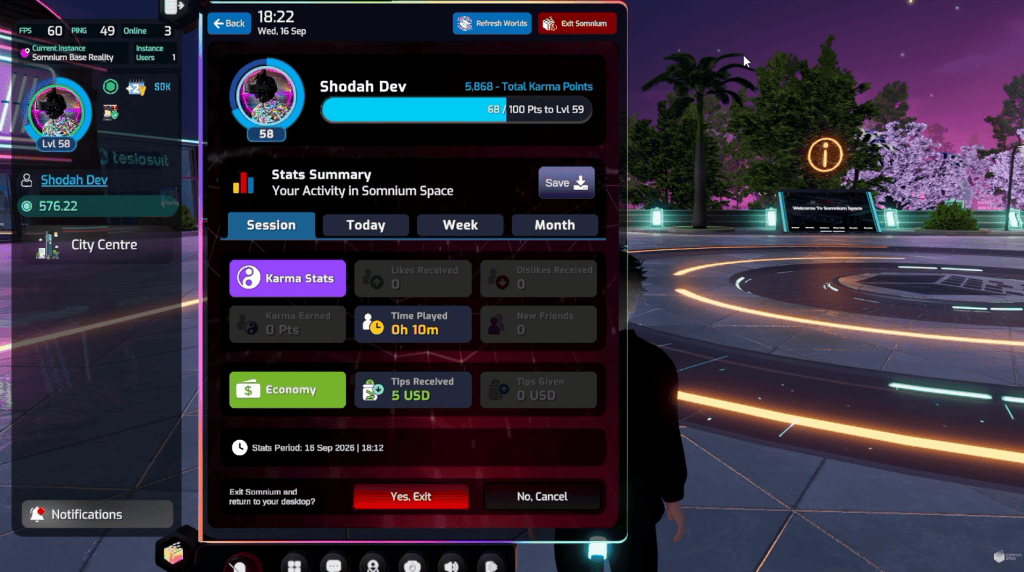
What it adds is a game-like loop that matches how the rest of the platform already works: show up, take part, and watch that participation build a standing that is visible the next time you return.
The website now supports Steam sign-in, Steam account linking, and nickname changes. The launcher adds pagination, installation status on the launch button, a redesigned referrals section, an updated Somnium Map, and a wide set of stability fixes, from first-install alerts and disk-space handling to event banners, player counts, and large friends lists.
What this article cannot do
Somnium Space has shipped more than this article mentions. Performance work. Website work. Launcher work. The most accurate way to meet 3.1.7 is not to finish reading about it.
A single session will tell you more than a hundred newsletters could. Jump in. Discover. Connect. Build.
See you in Somnium.
About Somnium Space
Somnium Space, the company behind the VR1, also runs a blockchain-based virtual reality platform that allows users to create, experience, and monetize content and applications. The platform is committed to building a decentralized and immersive VR world that offers users a unique and engaging experience.
Discord: https://discord.gg/somniumspace
Authencity: https://authencity.io/user/somniumspace
Follow the Somnium Times
Authencity: https://authencity.io/user/SomniumTimes
YouTube: https://www.youtube.com/@SomniumTimes
Instagram: https://www.instagram.com/somniumtimes/


Leave a Reply